
Overview
PromptMetrics uses Workspace API keys to authenticate all API requests.Each API key is scoped to a workspace and enables secure, programmatic access to your resources.
Step 1: Sign in to the PromptMetrics Web App
Log in to the PromptMetrics dashboard using your registered account. 👉 App URL: https://app.promptmetrics.devStep 2: Navigate to Workspace Settings
After logging in:- Select your Workspace from the top dropdown.
- Click Settings from the left sidebar.
Step 3: Open the API Tab
Inside Workspace Management:- Click on the API tab.
- Select Workspace Keys.
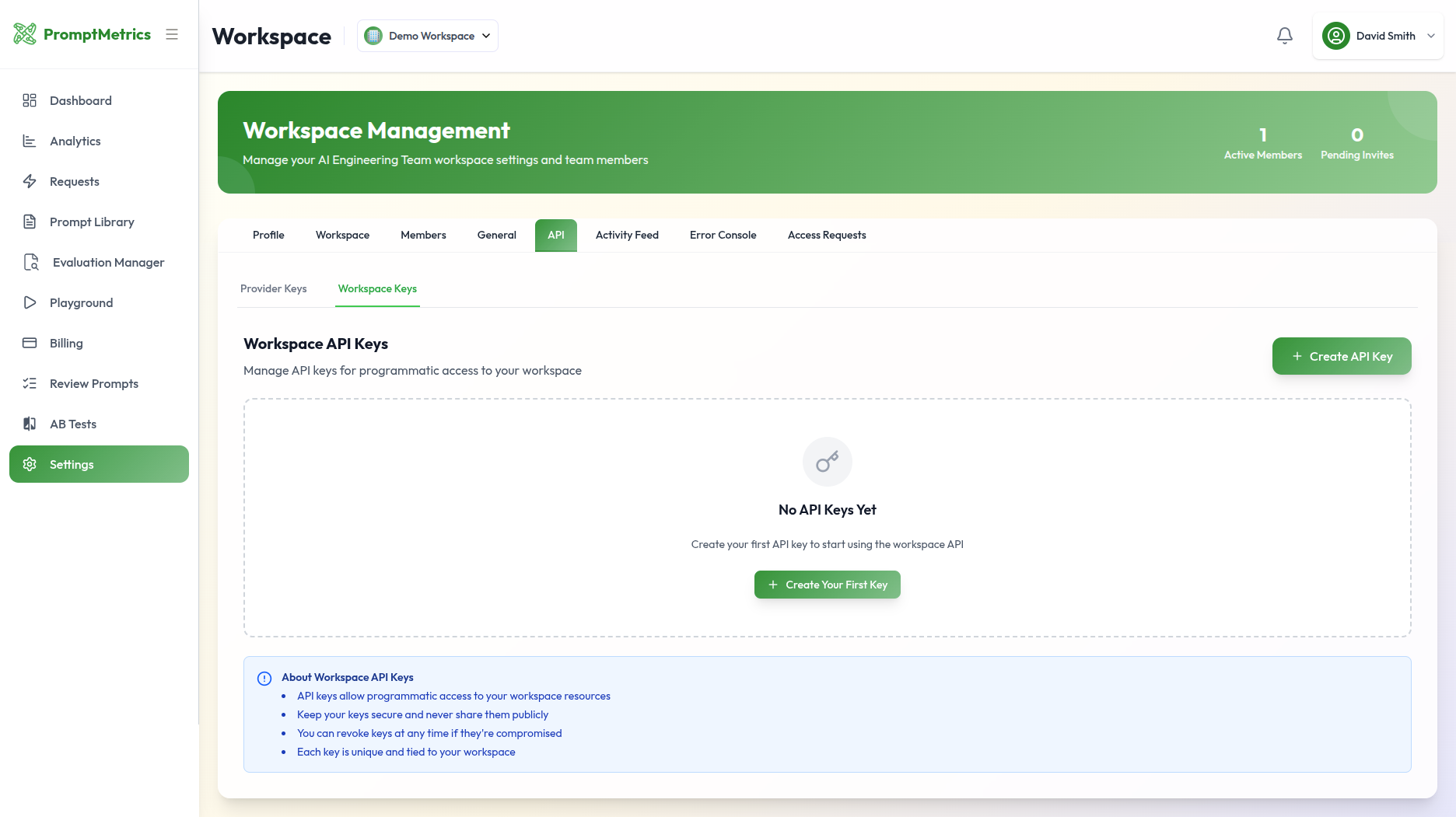
Step 4: Create or Copy an API Key
- Click Create API Key to generate a new key.
- Copy the generated key and store it securely.
⚠️ API keys are shown only once for security reasons.
If a key is lost or compromised, revoke it and create a new one.
Using the API Key
Include the API key in every request using theAuthorization header.